
Bottle label scanner app
Scan a label. Save bottle details you trust.
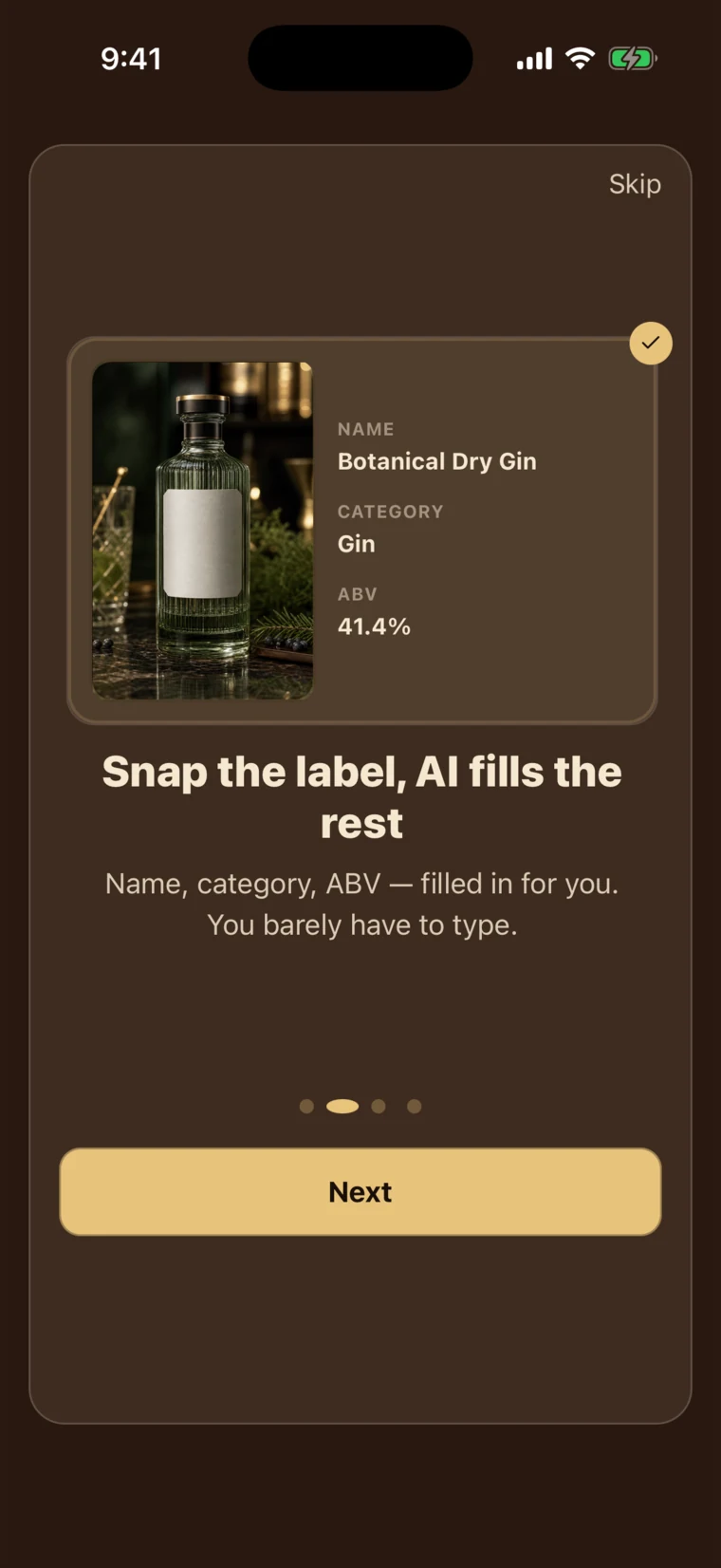
BarShelf uses AI-assisted camera analysis to draft a bottle name, category, ABV, volume, and notes. The captured label photo is attached separately. Review and edit the bottle form before saving it to your shelf.
Kohyun Lim, BarShelf creator ·
Scan your first bottle
AI
Camera-assisted analysis
5
AI-suggested fields to review
Limited
Free scanning available
Start with a useful draft, not a blank form
Point the camera at the front label and let BarShelf prepare the first version of the bottle record. The scanner can suggest the name, category, ABV, volume, and notes so you spend less time copying text field by field. The captured label photo is attached separately.
You stay in control before anything is saved
AI analysis is a starting point, not a final verdict. Check the suggested spelling, spirit category, alcohol strength, bottle size, and notes, then correct anything that does not match the bottle in your hand.
Keep the collection consistent from the first bottle
Reviewing the same core details for every scan gives your home bar a cleaner structure. Consistent names, categories, ABV, and volume make bottles easier to browse later and leave room for notes that matter to you.
Use manual entry whenever it is the better tool
A reflective, damaged, or unusual label may need a different approach. You can edit the scanner draft or skip the camera and enter a bottle manually, so an imperfect suggestion never blocks your inventory.
From label to shelf in four steps
- 1Frame the front label clearly in the camera.
- 2Let BarShelf draft the bottle details with AI-assisted analysis.
- 3Review and edit the name, category, ABV, volume, and notes in the bottle form.
- 4Save the confirmed bottle to your shelf, or switch to manual entry when needed.
Bottle label scanner FAQ
How accurate is the bottle label scanner?
Results can vary with the label design, lighting, angle, and image quality. BarShelf treats the result as an editable draft and asks you to review the details rather than presenting the scan as perfect recognition.
Which bottle details can the scanner suggest?
The AI-assisted scan can prefill the bottle name, category, ABV, volume, and notes. The captured label photo is attached separately rather than extracted as one of those fields. Every field remains editable before you save.
Does a scan add the bottle automatically?
No. The scan fills an editable bottle form. You choose when to save it after correcting or completing the information.
Can I try the scanner for free?
Free scanning is limited. Continued AI scanning is available through Pro, and the app shows the current plan details before you subscribe.
Can I add a bottle without scanning its label?
Yes. Manual bottle entry remains available, which is useful when a label is hard to photograph or when you already know exactly what you want to record.
What kind of label scan is BarShelf designed for?
BarShelf turns a photographed bottle label into an editable draft for your personal collection record. Barcode product lookup, price comparison, and seller search serve different shopping tasks.